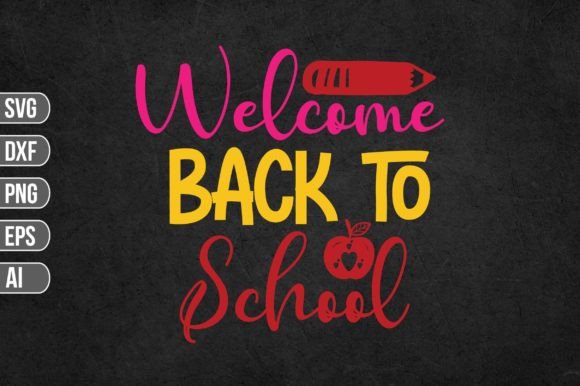
Welcome Back to School: Digital Files for Creative Classroom and Craft Projects
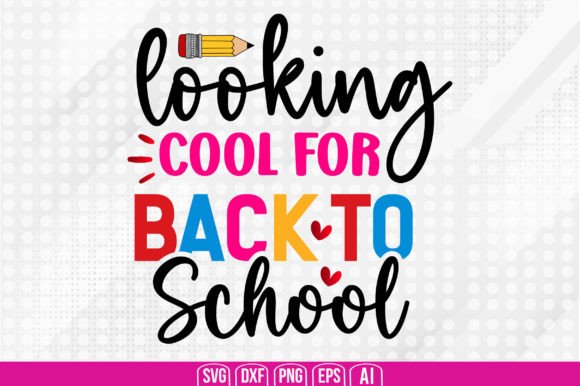
Whether you are a teacher setting up a bright new classroom, a parent helping your child celebrate the first day of school, or a small business owner looking for fresh designs to sell, Welcome Back to School digital files offer a flexible and ready-to-use solution. This download includes a single zip folder containing SVG, PNG, EPS, DXF, and AI formats, making it compatible with Cricut, Silhouette, Inkscape, Adobe Photoshop, and Adobe Illustrator. The layered design lets you cut, print, or edit easily. But beyond the technical specs, what makes these files truly useful is how they fit into real projects for real people.
Creating a Warm and Organized Classroom
Teachers are often the first to welcome students back, and a visually inviting space can set a positive tone for the year. With the Welcome Back to School design, you can cut vinyl letters and shapes to create a large bulletin board header. The SVG layers allow you to separate colors, so you can, for example, have the phrase in bright yellow and the accompanying apple or pencil motif in red and green. A few afternoons with your Cricut and adhesive vinyl can transform a plain door into a cheerful entrance.
You might also make custom desk name tags by printing the PNG file onto sticker paper, cutting around each student’s name, and laminating them. Because the PNG comes with a transparent background, you can place it over any colored paper or pattern without white boxes. Another idea is to use the DXF or AI file to engrave small wooden signs for classroom centers, such as “Reading Corner” or “Math Zone,” if you have a laser cutter or a compatible machine. These personal touches help students feel welcomed before they even sit down.
Back-to-School Gear for Kids
Parents often look for ways to make their children’s school supplies feel special without breaking the bank. With the Welcome Back to School digital files, you can design custom t-shirts for the first day using iron-on vinyl. The layered SVG allows you to cut each color separately, so you can put the text on a different heat‑transfer sheet than the graphic, then press them one by one. The result is a professional-looking shirt that your child will be excited to wear.
You can also personalize backpacks, lunch bags, and water bottles. Use the EPS or AI file to scale the design up or down in your vector software, then cut adhesive vinyl with your Silhouette or Cricut. The transparent PNG is handy for creating stickers on printable vinyl: just upload the file to a sticker maker like StickerApp or print at home. For older kids, you might add their name next to the main artwork, giving them a sense of ownership over their gear. The flexibility of file formats means you are not locked into any one workflow.
Gifts for Teachers and School Staff
Small tokens of appreciation from parents or administrators can make a big difference. With the Welcome Back to School design, you can craft personalized thank-you gifts. Imagine a coffee mug with the design heat-pressed on one side and the teacher’s name on the other. The AI file lets you edit the text in Adobe Illustrator if you want to customize the greeting from “Welcome Back” to “Thank You for Teaching.” The EPS version works similarly in other vector editors. For a simpler approach, print the PNG onto white paper, cut it out, and decoupage it onto a wooden plaque or a canvas tote bag.
School staff like office assistants, custodians, and cafeteria workers also appreciate recognition. You could create a set of keychains using the DXF file to cut acrylic or wood on a laser cutter, or use the SVG to cut adhesive vinyl for a water bottle. Because the files are layered, you can isolate just the apple or star element if you prefer a smaller design. These handmade gifts feel personal and thoughtful without requiring advanced design skills.
Small Business Opportunities
Selling back-to-school items is a seasonal opportunity many craft entrepreneurs seize. With the Welcome Back to School files, you can produce a variety of physical goods: decals, stickers, shirts, tote bags, pencils, and more. Because you own the file (subject to the seller’s commercial use terms, which you should always check), you can make multiples to sell at local markets or on Etsy. The PNG at 300 DPI is excellent for print-on-demand services like Printful or Redbubble, where you just upload the image and set your products.
One practical approach is to create a bundle: a shirt, a sticker, and a pencil case with the matching design. You can use the SVG to cut heat-transfer vinyl for the shirt, the DXF to cut cardstock or acetate for the pencil case, and the PNG to print on fabric or sticker paper for the accessory. Customers love coordinated sets, and having all file types ensures you don’t need to convert formats. Plus, being able to offer custom options (like adding a student’s name) makes your shop stand out.
DIY Party Decor and Favors
Some families throw a back-to-school party to celebrate the end of summer. The Welcome Back to School design works perfectly for invitations, cupcake toppers, banners, and treat bags. Use the EPS or AI file to adjust the size and layout for Avery labels or card stock. A transparent PNG is ideal for printing on clear sticker paper for water bottles or party favors. For a banner, you can cut each letter as a separate shape from the SVG – just ungroup the layers, resize, and cut from cardstock or vinyl.
The same files work for other school events, like teacher appreciation week, open house, or graduation. Because the design is simple and timeless, you can reuse it across multiple occasions by changing the color scheme in your editing software. The vector formats allow infinite scaling without quality loss, so you can make everything from a small sticker to a large poster.
Considerations Before You Start
Before you download and unzip the Welcome Back to School files, think about your specific project and tools. If you plan to cut with a Cricut, the SVG file is your best friend because it preserves layers and color assignments. For Silhouette users, the DXF format often imports more cleanly than SVG, though the SVG also works. If you are printing (not cutting), the PNG file at 300 DPI gives you a high-resolution image with a transparent background – but check that your printer can handle transparent areas (most inkjets will print the white of the paper as the background). For vector editing software like Adobe Illustrator or Inkscape, the AI or EPS file provides editable paths so you can tweak colors, rearrange elements, or add text.
One limitation to keep in mind is that the files are designed for craft cutters and graphic editors, not for office software like Word or Google Docs. If you want to insert the design into a document, you’ll need to use the PNG and perhaps resize it in a photo editor first. Also, while the SVG is layered, it may come with grouped parts – you might need to ungroup them to separate colors fully. Spend a few minutes testing the file in your preferred software before starting a large production run. Finally, verify the commercial use license if you plan to sell finished products; some designers allow resale of physical items, others don’t.
Strengths and Practical Advantages
The main strength of this digital pack is versatility. Having five different file formats in one download means you can switch between cutting, printing, and engraving without hunting for converter tools. The design itself is friendly and adaptable – the text “Welcome Back” paired with school symbols works for all grades and genders. The transparent PNG is particularly useful for layered projects (e.g., printing on clear vinyl for windows). The vector formats keep the lines crisp even if you enlarge the design to 24 inches for a wall decal.
On the limitation side, the design is static – you cannot easily change the font or layout without vector editing skills. If you need a different phrase, you would have to modify the EPS or AI file, which requires some experience. Also, the download is digital only; there is no physical product or printed proof. Beginners who have never used a cutting machine might need to watch a few tutorials before they can successfully cut the SVG. However, once you get the hang of it, the files save hours of design time compared to creating your own from scratch.
The best way to decide if Welcome Back to School is right for you is to picture your specific project. Think about who will use it, what materials you have, and what machine or software you prefer. Whether you are decorating a classroom door, customizing a child’s backpack, or launching a seasonal product line, these digital files give you a head start. With a little creativity and some hands-on crafting, you can turn a simple digital download into dozens of personalized, memorable back-to-school items.