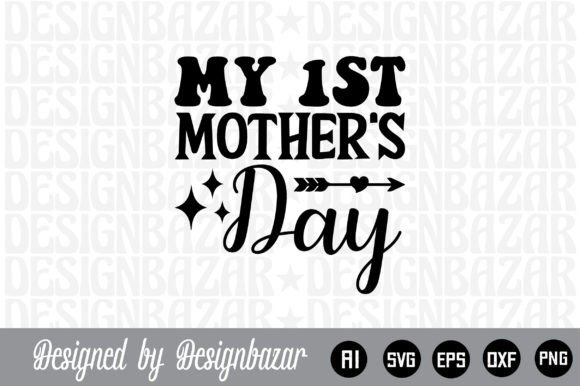
I Love My Mom: SVG Designs for Meaningful Projects
A well-crafted design can carry emotion, intention, and purpose. When the message is as personal as I Love My Mom, the creative possibilities expand far beyond a simple craft. This digital SVG collection gives you a layered, versatile set of files that can be adapted for gifts, home decor, branding, social content, and much more. Whether you are a designer, small business owner, or someone who enjoys making things by hand, understanding what this set includes and how to use it effectively can save time and elevate your results.
What the Digital Download Includes
This is a digital product only. There is no physical item shipped. Instead, you receive a single .zip file containing five file formats, each serving a different purpose across platforms and machines. Having all five means you can move between software and hardware without losing quality or having to recreate your work.
- AI file – Adobe Illustrator source file, fully editable. Use this if you want to tweak colors, reshape elements, or combine the design with other artwork.
- SVG file – Word by layer SVG cut file. This is the core file for cutting machines like Cricut and Silhouette. Each layer is separated so you can assign different colors or materials.
- PNG file – 300 DPI with a transparent background. Ready for digital use, print-on-demand products, or social media graphics.
- EPS file – Editable vector file. Works across many vector editing programs and is useful for large-format printing or further customization.
- DXF file – Compatible with Cricut, Silhouette, Inkscape, Adobe Photoshop, and Adobe Illustrator. A universal fallback for CAD-like workflows.
Because the SVG is built word by layer, you can isolate each line of text or graphic element. This makes resizing, recoloring, and repositioning straightforward, even if you are relatively new to working with layered files.
Creative Possibilities for Different Audiences
The phrase I Love My Mom is universal, but the way you present it can vary dramatically depending on who you are creating for and what platform you are using. Below are several angles that different users can take.
For Crafters and Hobbyists
If you enjoy hands-on projects, this SVG file is a reliable starting point for personalized gifts. Consider using the layered design to create a custom tote bag, a framed wall art piece, or a set of matching mugs for a family gathering. Because each layer is separate, you can cut each part from a different color of vinyl or cardstock. For example, the word Love could be cut from a patterned paper while Mom is cut from a solid metallic sheet. The contrast adds visual interest without requiring extra design work.
Another idea is to combine this file with other SVG elements you already own. If you have floral motifs, geometric shapes, or banner frames, you can layer them behind or around the text to create a composition that feels complete without becoming cluttered.
For Small Business Owners and Entrepreneurs
Selling physical or digital products that carry heartfelt messages is a reliable category on marketplaces like Etsy, Amazon Handmade, or your own shop. The I Love My Mom design can be adapted into multiple product variations:
- Vinyl decals for laptops, water bottles, or car windows
- Printable art files for customers to download and frame
- Iron-on transfers for apparel, aprons, or pillow covers
- Sticker sheets or die-cut stickers for planners and journals
Because you have the source AI and EPS files, you can resize the design to fit a 3-inch sticker or a 20-by-24-inch poster without losing sharpness. That scalability is valuable when you want to offer the same design in multiple formats without redoing the artwork each time.
For Designers and Marketers
Even if you do not craft physically, this file can serve as a typographic element in digital campaigns. A clean, layered SVG is easy to import into websites, email headers, or social media templates. If you are running a Mother’s Day promotion, the design can appear on a landing page banner, an Instagram story, or a printed mailer. The transparent PNG background makes it simple to drop the artwork onto any background color or photo without additional masking.
You can also alter the file to fit a brand’s voice. Change the font weight, adjust the spacing, or swap the color palette to match seasonal branding. Because it is a vector file, every edit remains crisp no matter how many times you adjust it.
Practical Tips for Keeping Results Clear and Professional
Working with layered SVG files is straightforward once you understand a few basic principles. Here are recommendations that apply across most software and cutting machines.
- Check layer order before cutting. Open the SVG in your design software and verify that each layer is labeled or color-coded. This prevents confusion when assigning materials.
- Use the correct file for your machine. If you are using a Cricut, the SVG or DXF file will work. For Silhouette, SVG or DXF is also fine. The AI and EPS files are better suited for editing before export.
- Test a small cut first. Before cutting the final material, run a test on scrap paper or inexpensive vinyl. This confirms that the blade pressure, speed, and material settings are correct.
- Keep a backup of the original .zip file. If you edit the design and later need the original layers, having the untouched file saves you from having to re-download or reconstruct your work.
- Consider color psychology. For a Mother’s Day theme, soft pastels, warm neutrals, or classic gold and rose tones tend to resonate well. If you are designing for a different occasion, adjust accordingly.
Adapting the Design for Different Platforms and Formats
Every platform has its own technical requirements, and having multiple file formats means you can adapt without friction.
Print-on-Demand
If you sell through print-on-demand services like Printful, Redbubble, or Teespring, the PNG file is your quickest option. It is already 300 DPI with a transparent background, which meets the resolution standards for most print providers. You can place the design on t-shirts, hoodies, mugs, phone cases, and wall art. Just make sure the artwork fits within the provider’s recommended print area and resolution limits.
Social Media and Digital Content
For Instagram, Pinterest, or Facebook posts, use the PNG file directly. Since the background is transparent, you can overlay the design on a photo, a gradient, or a brand-colored square. If you want to animate the text or add effects, import the AI or EPS file into a video editor or motion design tool. The vector format remains editable, so you can animate each layer separately.
Blog and Website Graphics
Bloggers and educators often need clean visuals for articles, lead magnets, or printables. The SVG file can be embedded directly into web pages if your CMS supports SVG uploads. Alternatively, use the PNG file for featured images or in-post graphics. The scalability of SVG ensures that the text remains sharp on retina displays.
What Makes This File Set Useful for Long-Term Projects
One of the less obvious advantages of a word-by-layer SVG is how it supports repeat use. Once you have the layers separated, you can swap out colors, add new elements, or extract individual words for use in other compositions. For example, you might use the word Love from this set in a Valentine’s Day project, or combine the word Mom with other family-themed designs. Because you own the file, there is no limit to how many times you can repurpose the components, as long as you respect the license terms of the original purchase.
If you are a small business owner, this repurposing saves time. Instead of designing a new text layout for every product, you can maintain a consistent typographic style across your entire line. Customers begin to recognize your aesthetic, which builds brand identity organically.
Staying Organized with Digital Files
Digital downloads accumulate quickly, especially if you purchase multiple SVGs for different occasions. Keeping your files organized prevents the frustration of searching through folders when you want to start a project.
- Create a folder structure by holiday or theme. A folder named Mother’s Day can contain subfolders for SVG, PNG, AI, EPS, and DXF files.
- Rename the files with descriptive titles. Instead of “file1.svg,” use “I_Love_My_Mom_Layered.svg.” This makes searching faster.
- Back up your .zip files to cloud storage or an external drive. If you ever need the original untouched version, you have it.
- Keep a project log. A simple spreadsheet noting which files you used for which product, along with material and color choices, helps you replicate successful results later.
Final Thoughts on Using This Design Well
The value of a well-made SVG file is not just in the immediate project but in the range of possibilities it opens up. Whether you are creating a one-of-a-kind gift for your own mother, building a product line for your shop, or designing content for a brand campaign, the I Love My Mom layered file set gives you flexibility without demanding advanced technical skills.
Start with the format that matches your current workflow. If you are cutting vinyl, open the SVG directly. If you are editing colors and shapes, open the AI or EPS file. If you need a quick digital asset, use the PNG. The same design adapts to each context, which is exactly what a versatile digital download should do.
Focus on clarity, consistency, and the emotional weight of the message itself. When the design is clean and the execution is careful, the result speaks for itself.